
Share
Summarize with AI
How to Build a Backend for Your Vibe Coding App
The moment your application needs to remember users, store information, process payments, manage permissions, or connect to external services, it needs something beyond the interface: a backend.
For many first-time builders, this is where vibe coding becomes intimidating. Building the frontend feels simple, but databases, authentication, APIs, security rules, and infrastructure can sound like problems only experienced developers can solve. AI app builders are changing that workflow.
The question is no longer:
“How do I learn backend development?”
It is:
“What backend does my application actually need?”
Why Your Vibe Coding App Needs a Backend
Not every project needs a backend. A landing page, portfolio, or simple marketing site can work without one. Once an application needs to store information or support real users, however, backend capabilities become essential.
For example:
- A SaaS application needs user accounts and business data.
- An AI application needs secure API connections.
- A marketplace needs products, orders, and payments.
- An internal business tool needs user permissions and shared data.
A useful rule of thumb is: if your app needs to remember something after the user leaves, it probably needs a backend.
Traditionally, creating these features meant connecting multiple services and manually managing infrastructure. Today, built-in backend support lets creators add these capabilities while building their applications, often through managed platforms such as Supabase.
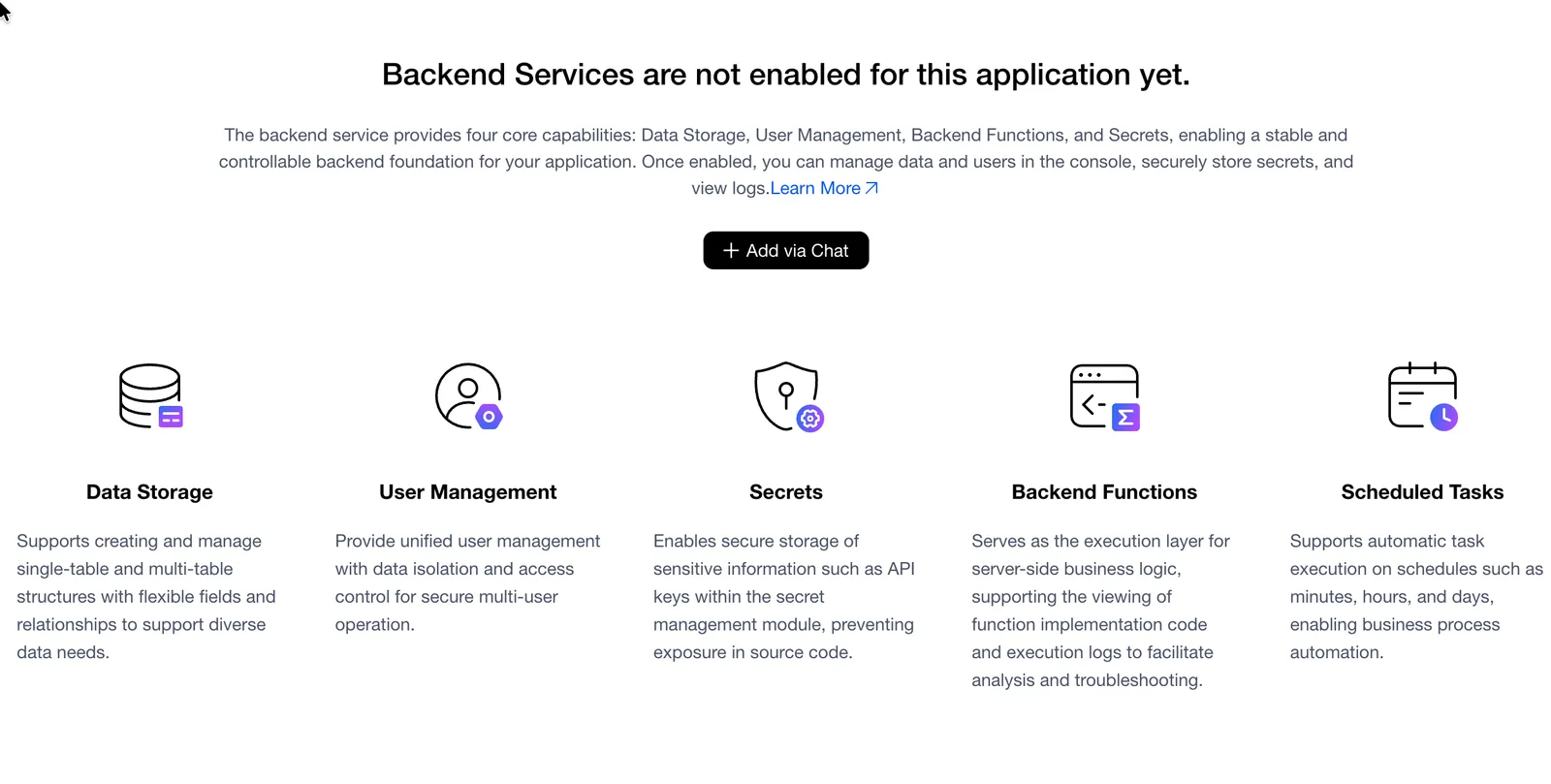
The backend service provides the core capabilities a production app needs.
Building a Backend With AI: From Idea to Working System
Modern AI app builders let you describe backend functionality in natural language. For example:
“Add user login and save customer information.”
Instead of manually creating tables, writing authentication logic, and connecting APIs, an AI builder can help generate the required backend structure.
A complete application may include:
- A frontend interface
- A database
- Authentication
- Backend logic
- External API connections
All of these parts need to work together. MeDo provides built-in backend infrastructure powered by Supabase, allowing you to create databases, authentication, storage, and backend functions in the same environment where you build the application.
1Add a Database to Give Your App Memory
The first step toward a real application is usually a database. A database allows your app to remember information permanently.
A task management app may need:
- Users
- Tasks
- Deadlines
- Status updates
A marketplace may need:
- Products
- Customers
- Orders
- Payments
A healthcare application may need:
- Patient records
- Appointments
- Medical information
Instead of manually designing the database structure, an AI-powered development tool can help create the required tables and connect them to your application.
For instance, you could ask: “Create a customer table with name, email, company, and order history.” The AI can generate the data structure and wire it into the app.
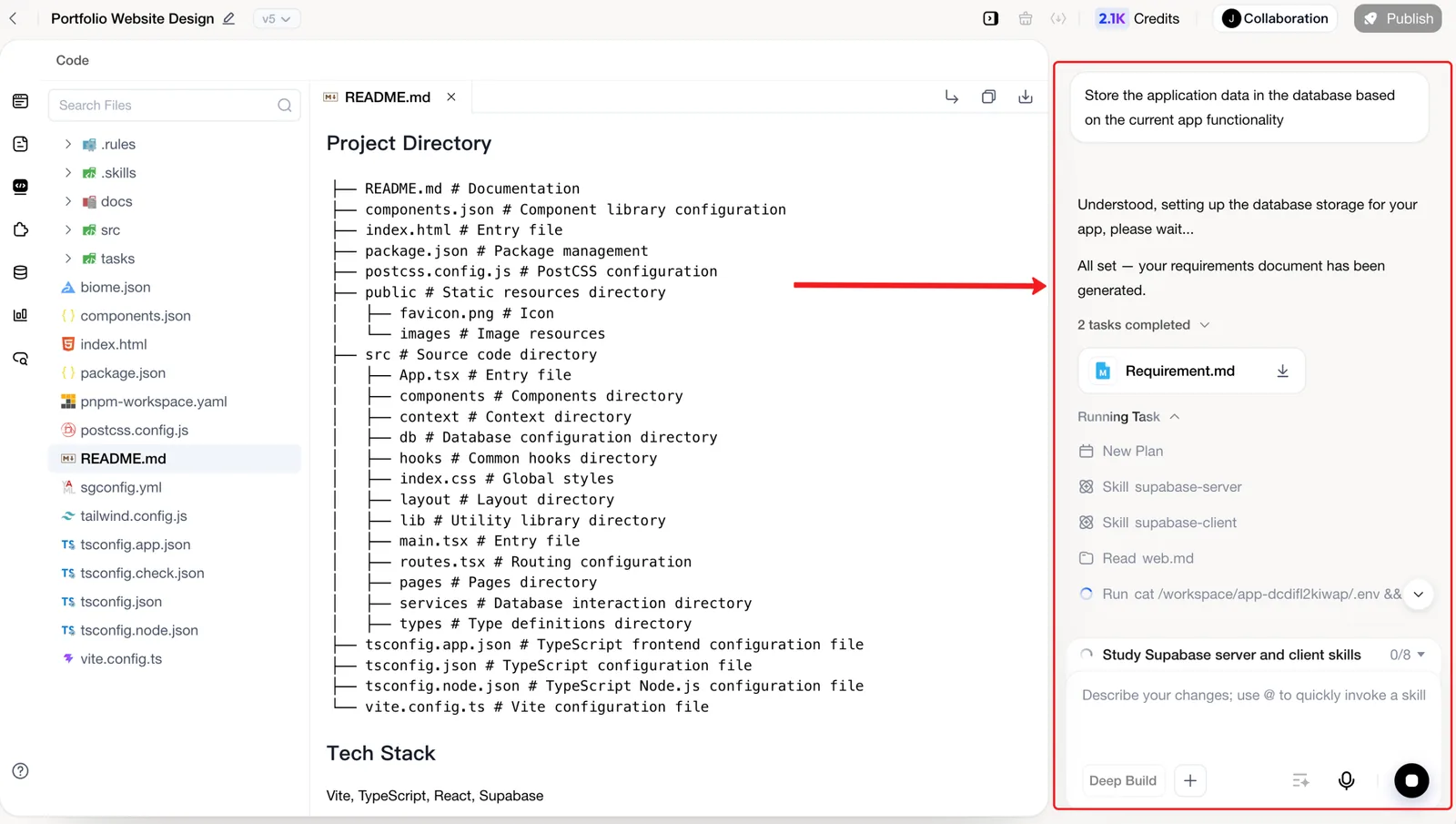
Describe the data your app needs, and the builder can turn it into a connected database structure.
2Add Authentication and User Management
Many applications become useful only when users can create accounts. Authentication is not just a login page. A real application must also understand:
- Which user owns which data
- Who can access specific information
- What actions different users are allowed to perform
For SaaS products, this is especially important. A customer management tool, for example, needs each company to see its own customers while keeping every other company's data private.
Modern AI app builders can help create authentication flows and permission systems without requiring you to implement every security rule from scratch. You should still review those rules carefully before launching, especially when the app stores sensitive or regulated information.
3Connect APIs Without Managing Servers
Many modern applications depend on external services:
- OpenAI for AI features
- Stripe for payments
- Google Maps for location services
- Email providers for notifications
- Third-party business APIs
The challenge is that many APIs require secret keys. These keys should never be exposed in frontend code because anyone can inspect code delivered to a browser. A proper backend keeps sensitive information secure and handles communication between your app and external services.
AI app builders can simplify this process by creating server-side functions and managing API connections. For example, you might ask: “Add AI-powered document analysis using OpenAI.” The platform can then create the backend workflow needed to process the request securely.

Backend functions keep API keys and server-side work out of the browser.
4Build and Iterate on Your Backend Together With Your App
One of the biggest advantages of AI app builders is that the frontend and backend can evolve together.
In a traditional workflow:
- Change the UI → update frontend code.
- Change the database → modify backend code.
- Change an API → update server logic.
Multiple systems must stay synchronized. With AI-powered full-stack development, you can describe changes conversationally:
“Add subscription status to each user account.”
Or:
“Create an order history page connected to customer data.”
The AI can help update the different parts of the application together. Backend development starts to feel less like maintaining separate systems and more like continuously improving one product.
When Should You Care About Backend Complexity?
A simple landing page or portfolio may need only static content, images, and contact information. But applications with accounts, generated data, payments, or user-to-user interactions usually need backend support.
SaaS Applications
They commonly need user accounts, subscription data, and customer information.
Marketplaces
They commonly need products, orders, payments, and user interactions.
AI Applications
They commonly need AI API connections, user history, and usage tracking.
Internal Business Tools
They commonly need employee accounts, business workflows, permissions, and shared data management.
The simple rule still applies: if users create accounts, generate data, or interact with one another, your app probably needs a backend.
The Future of Vibe Coding Is Full-Stack Creation
The biggest difference between an AI-generated demo and a real product is not the interface. It is everything happening behind the interface.
A real application needs reliable data storage, secure user management, and backend logic that can support future growth. That is why backend capabilities are becoming an essential part of vibe coding.
The future of AI app builders is not just about generating screens faster. It is about helping more people build complete applications, including the infrastructure required to make those applications useful.
You do not need to become a backend developer before building your idea. With a modern AI development platform such as MeDo, backend development can become part of the creative process itself.
Related Articles
- AI App Builder with Backend: Why UI-Only Tools Fall Short
- Vibe Coding to Production: How to Ship Beyond the Prototype
- AI App Security and Privacy Guide
- How to Add Payments and Push Notifications to Your AI-Built App
Try building your app with MeDo
Describe your idea in one sentence. MeDo generates real native iOS and Android code, runs it on your phone via QR code, and ships to TestFlight and Play Store when you're ready.
Keep reading
Related articles
Built-in SEO Agents Compared: MeDo vs Lovable vs Replit
MeDo, Lovable, and Replit all shipped built-in SEO agents by 2026. Compare their audit loops, measurement tools, and SSR defaults to pick the right one.
Design Tokens vs CSS Variables: Which Do You Need?
CSS variables are browser runtime; design tokens are a cross-platform contract. Here's how to decide which you need, with four triggers.
What Is DESIGN.md? Google's Format for AI Design Systems
DESIGN.md is Google's open file format that describes a visual identity to AI coding agents — machine-readable tokens plus human-readable rules in one file.